

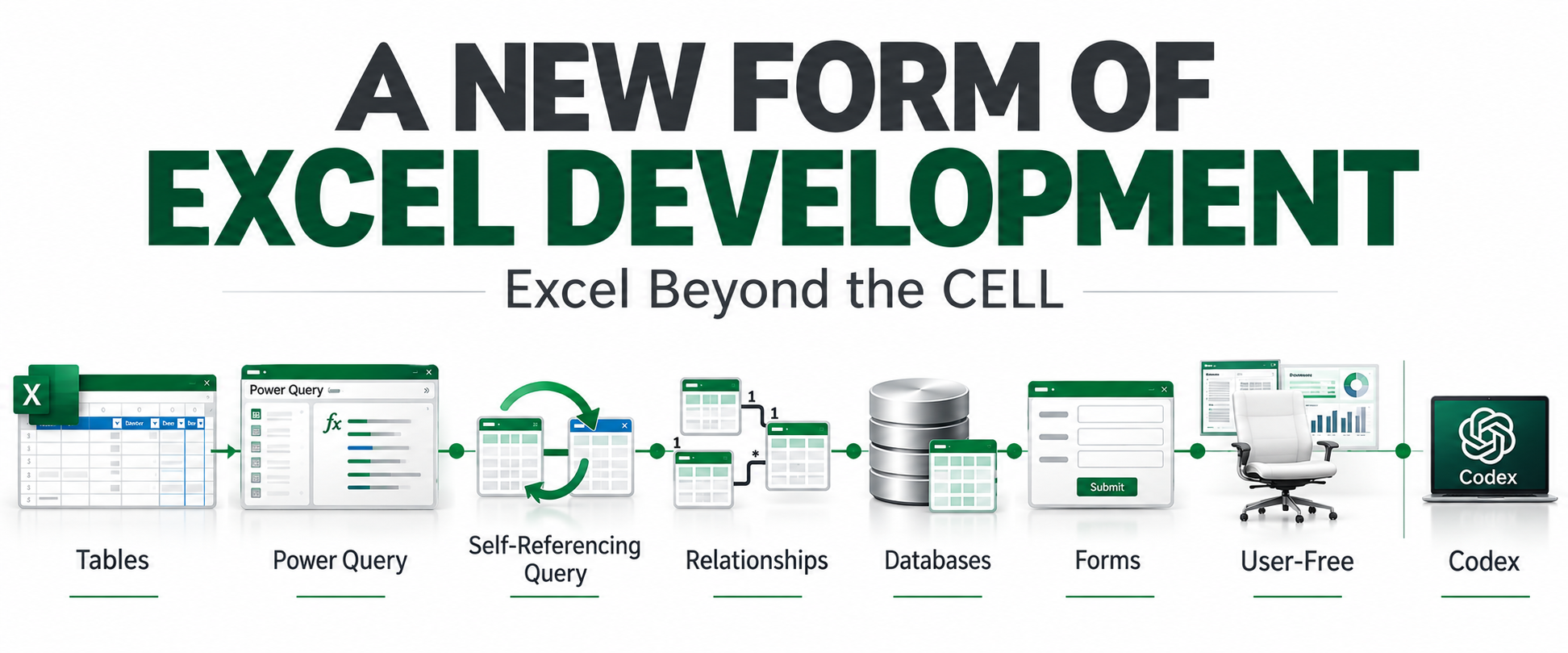
As we move toward 2027, I see a change taking place in Excel development.
I’ve been developing Excel solutions since 1999, and I’ve watched Excel development change many times. I formed Excel and Access, LLC in 2004 and have been building business solutions for clients ever since. What I’m seeing now feels different. It isn’t one new feature or one new technique. It is a change in how some developers are thinking about the solution itself.
“A new form of Excel development.”
— Mark Proctor, Excel Off The Grid
Why I See It
I’ve been developing Excel solutions since 1999. I formed Excel and Access, LLC in 2004. Over that time, I’ve watched the problems businesses bring to Excel, the solutions developers build, and the tools we use to build them change.
I talk with prospective clients and existing clients almost every day. I talk with programmers almost every day. Through my work and the Microsoft MVP community, I regularly exchange ideas with Excel developers, other Microsoft MVPs and people at Microsoft.
That gives me a view of Excel from several directions at once: what businesses are asking for, what developers are building, what experienced Excel professionals are exploring, and how the platform itself is changing.
From where I sit, the change is becoming increasingly clear.
What I See
For years, much of Excel development naturally began with the worksheet. A requirement became a formula, a formula went into a cell, and the solution grew from there.
That still works. Cells and formulas aren’t going anywhere.
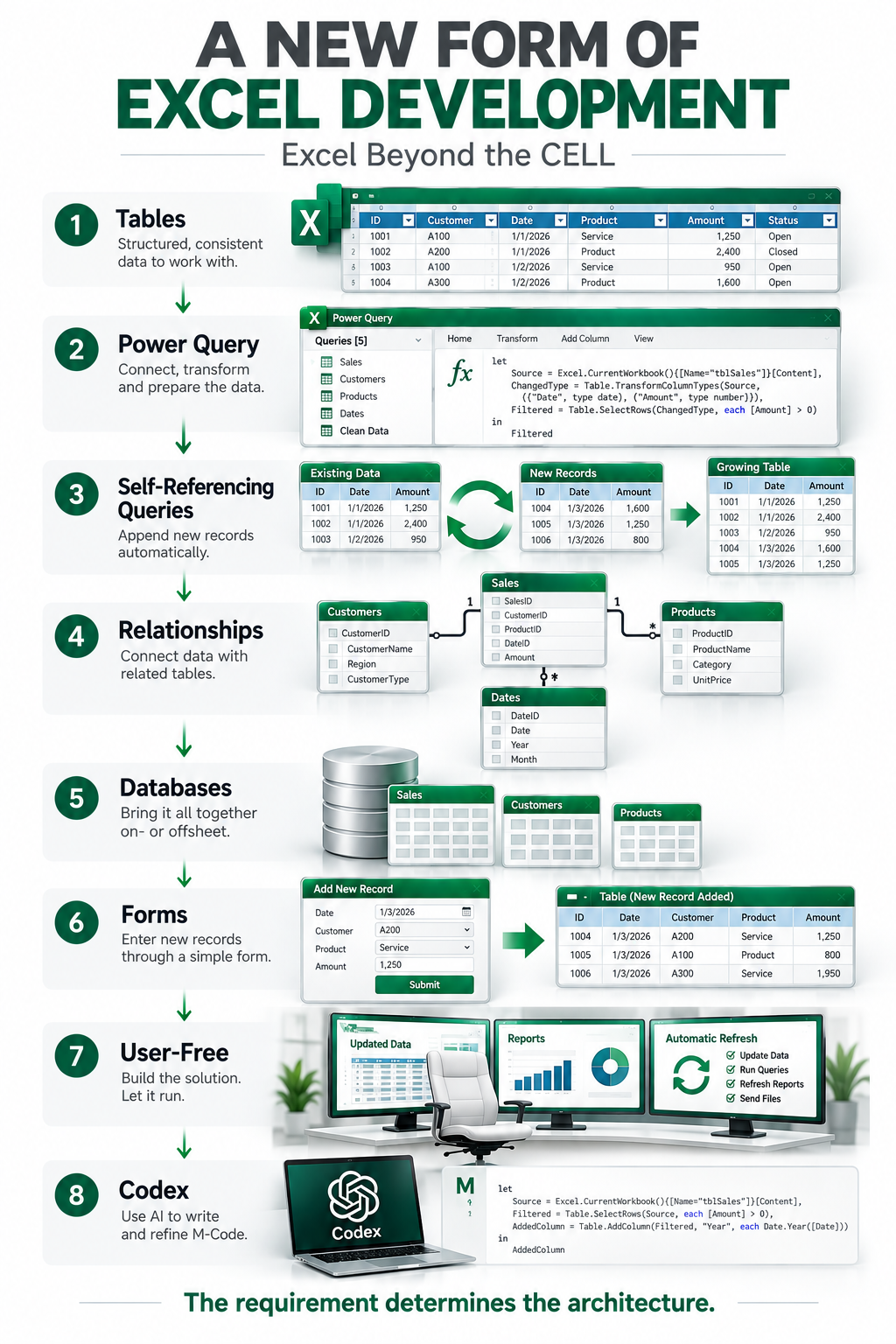
But Excel now gives us many more places where the work can happen. Excel Tables, Dynamic Arrays, Power Query, the Data Model, VBA, databases and automation can all become parts of the same solution.
Because of that, I find myself starting with a different question.
Instead of starting with:
What formula should go in this cell?
I increasingly start with:
Where should this happen?
How I Got Here
My view of Excel development didn’t change all at once. It developed through learning, collaboration and real client work.
2021
Power Query Changes My Thinking
Oz du Soleil introduced me to Power Query through his videos. With my background in Excel, Microsoft Access, SQL Server and relational database development, I immediately saw something familiar: Tables, queries, joins, relationships and structured data.
2023
David Introduces Me to Mark Proctor
David, a Microsoft MVP I work with through The Association, introduced me to Mark Proctor so I could take my Power Query skills further. Mark helped me do exactly that.
FEBRUARY 2025
Connecting Like-Minded Developers
I created the Excel Power Query Developers Consortium on LinkedIn to connect with other developers working with Power Query and exploring different approaches to Excel development.
It wasn’t about establishing a new methodology. It was about connecting people, exchanging techniques and learning what other developers were doing.
2025
Power Query Changes My Company
My path into Excel was a little unusual. I was a database programmer first. Then I became an Excel programmer. And now, in many ways, I find myself programming databases in Excel.
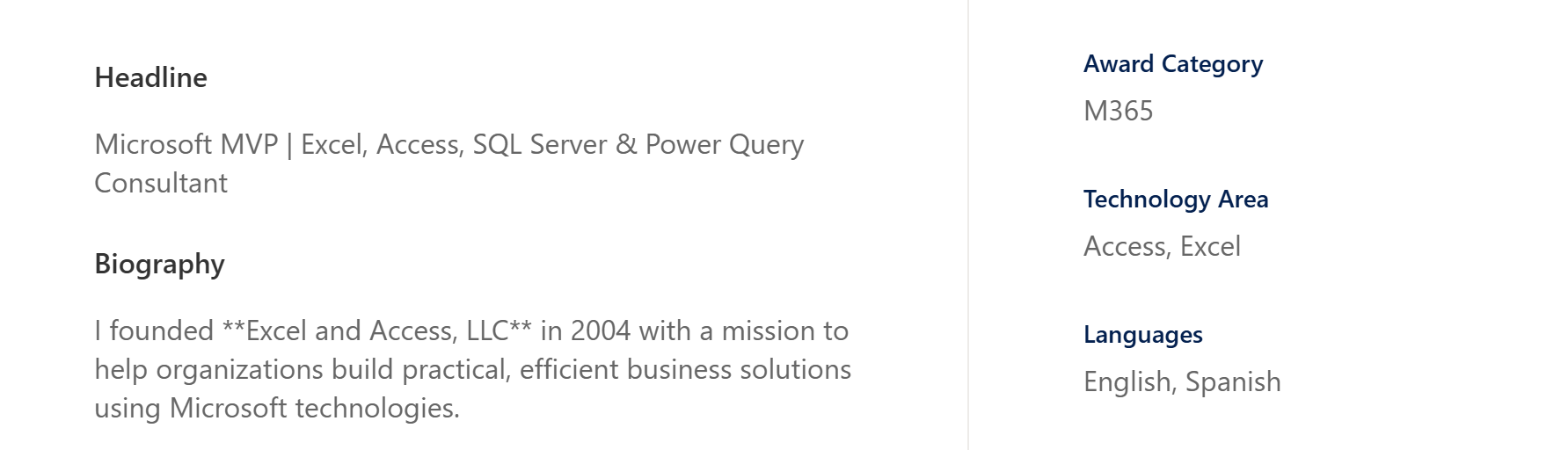
I’ve spent years developing in both Excel and Microsoft Access, with SQL Server and relational database programming behind both. Microsoft has recognized me as both an Excel MVP and an Access MVP. I know these two worlds well.
Microsoft Excel MVP & Microsoft Access MVP
Recognized by Microsoft for contributions to both the Excel and Access communities.
That’s why my decision in 2025 to leave Access development behind and reorganize Excel and Access, LLC around Excel 365 and Power Query development was significant. I wasn’t choosing between something I understood and something new. I was making that decision after years of professional development in both Excel and Access.
And I didn’t stop believing in database development. It was almost the opposite. Excel 365 and Power Query were giving me ways to apply many of the database concepts I had relied on for years: Tables, queries, joins, relationships, structured data and processes.
I didn’t leave database thinking behind. I brought it with me into Excel.
2025
Taking Self-Referencing Queries Further
David and I learned the Self-Referencing Query technique from one of Mark’s videos. Mark then created and shared additional demonstrations with us so we could explore the approach further.
We began combining SRQs, Excel Tables, Power Query and database-style design in real client solutions.
JANUARY 2026
A Real Client Solution
I joined Mark on the Excel Off The Grid Solution Showcase. I didn’t build something specifically for the presentation.
I showed a real client solution.
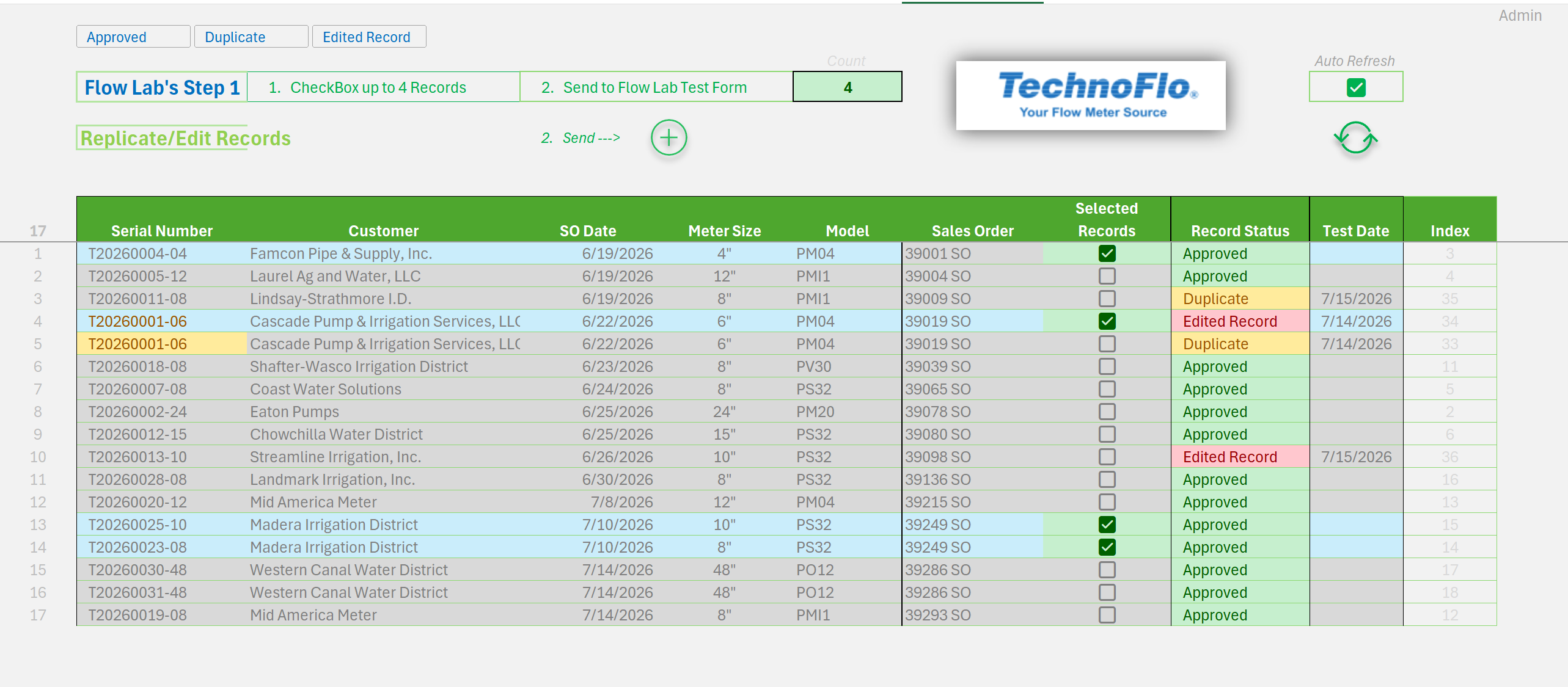
The application brought together Excel Tables, Power Query, Self-Referencing Queries, VBA and database-style design as parts of a working business solution.
“A new form of Excel development.”
— Mark Proctor, Excel Off The Grid
Mark made that observation during the Showcase.
It stayed with me because it described something I had been experiencing in my own development work.
And Mark wasn’t observing it only from the outside. He had already been exploring some of these broader uses of Power Query himself. The more developers I talked with, the more I began to see that different people were arriving at related ideas through different paths.
What I Think Is Changing
I don’t think this is about Power Query replacing formulas, Dynamic Arrays replacing Pivot Tables, or one technology replacing another.
What I see is a broader change in how the pieces can be combined. The requirement begins to determine the architecture instead of the architecture automatically beginning with the worksheet cell.
A cell might be the right place for an input.
An Excel Table might become an interface.
A Dynamic Array might deliver the result.
Power Query might connect, transform or manage the data.
The Data Model might manage relationships.
VBA might handle an event or user interaction.
A database might be the right place for part of the process.
Automation might run the process without waiting for a user.
I have come to describe this way of thinking as:
Excel Beyond the CELL
The cell isn’t going away, and traditional Excel development isn’t going away.
The cell simply doesn’t have to define the boundary of the solution.
The worksheet can become one part of a larger architecture.
I’m Not the Only One Seeing It
That’s the part I find most interesting.
The concepts already exist. The techniques already exist. Developers are already combining Excel’s tools in different ways, and many of those developers arrived there independently.
We aren’t all using the same architecture. We aren’t all using the same tools. We don’t even need to agree on exactly what this change should be called.
But I keep encountering developers who are asking broader questions about where data should live, where processing should happen, how Excel should interact with other systems, and how much of a solution really needs to happen on the worksheet.
That is what makes me think something larger is happening.
Finding Each Other
The Excel Power Query Developers Consortium has already connected some like-minded developers.
What interests me now is finding more of them.
Who else is developing this way? What are they building? What techniques have they discovered? What can we learn from each other?
Those questions are more interesting to me than trying to define one correct way to build an Excel solution.
The Next Step
I’d like to expand those connections and launch an Excel Beyond the CELL Meetup.
A place where developers can demonstrate what they’re actually building, exchange techniques, discuss different approaches and learn from one another.
Not because we all need to develop the same way.
Quite the opposite.
2027
What I See Ahead
I don’t know exactly where this leads. That’s part of what makes it interesting.
Excel keeps changing. Developers keep finding new ways to combine its tools. Techniques move from one developer to another and become something neither person originally imagined.
I don’t see the end of traditional Excel development.
I see an expansion of what Excel development can be.
That’s what I see as we move into 2027.
Rise with the Tide
I don’t think any one of us owns this idea.
The techniques already exist. The connections already exist. And developers are already approaching Excel in ways that would have been difficult to imagine a few years ago.
What interests me is finding more of those people, sharing what we’re learning and seeing where the ideas go next.
We won’t all use the same tools. We won’t all agree on the architecture. And we shouldn’t.
Share what you know. Learn what someone else knows. Take an idea further.
When the tide rises, we rise with it.








Leave a Reply