Blog

>Blog

Excel Retains Manual Calculation

Excel Retains Manual Calculation There is a known issue with Excel's calculation when switching out of Automatic calculation mode. For those who don't know, let me recap the issues: The first workbook opened will use the calculation mode of its last save Any workbook created will inherit the calculation state of the first opened [...]
March 16th, 2013|Tags: |7 Comments

Data Explorer for Microsoft Excel 2010

  QUERY tab. One important thing to note in the Query Settings task pane is the Load to data model button. If you click that, once complete, you won't get any fancy message boxes, just a simple text display. What's the benefit of this? Well you get all of this data [...]

March 14th, 2013|8 Comments

MS Excel Pivot Table Deleted Items Remain

MS Excel Pivot Table Deleted Items Remain - Fix   Microsoft Pivot Tables & Pivot Charts should be in every data visualization toolbox as they are one of the most powerful reporting and analysis features in Microsoft Excel today. New to Pivot Tables, Pivot Charts, & Slicers, we can help 877-392-3539.   The Problem: [...]

Table Slicers in Microsoft Excel 2013

Table Slicers in Microsoft Excel 365 Slicers were introduced in Excel 2010 for PivotTables. What are slicers you ask? If you don't know, well, you're in for a treat. Here is some background information to bring you up to speed. Introducing Excel 2010 Slicers Use slicers to filter PivotTable data PivotTable Slicers by Jan Karel [...]
March 7th, 2013|Tags: , , |5 Comments

Delete styles in MS Excel

Delete Styles in MS Excel   This is applicable to Excel 2007-2013. Styles are wonderful, and I've loved having them in Excel.  If you're not familiar with styles, check out these links: http://office.microsoft.com/en-us/word-help/style-basics-in-word-HA010230882.aspx (Word 2007+) http://office.microsoft.com/en-us/word-help/all-about-themes-quick-styles-cell-styles-and-background-styles-HA010178624.aspx (Excel 2007+) http://office.microsoft.com/en-us/excel-help/using-styles-in-excel-HA001110199.aspx (Excel 2003) Often times, especially when sharing files, perhaps emailing files back and forth to/from [...]

January 14th, 2013|Tags: , , , , |12 Comments

Get Excel Table Addresses

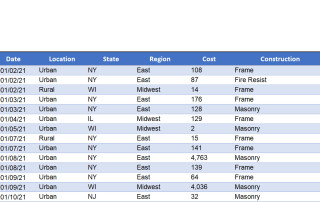
Get Excel Table Addresses w/ Excel VBA In this post we show you examples of how to get Excel Table addresses.  We do so with Excel vba. What are Table Addresses in Excel In Microsoft Excel, a Table Address refers to the cells/range occupied by a structured Excel Table.  A structured Excel Table is a [...]

Working with Microsoft Excel Tables in VBA

Working with Microsoft Excel 365 Tables in VBA This blog post will be based on Working with Microsoft Excel tables in VBA. They present some unique issues, which has to do with how their structured in the object model. Good or bad, it's what we have. These are based on my trial and errors, [...]

Use Structured References in Excel Tables

Use Structured References in Excel Tables Using structured references in Excel Tables provide many benefits.  By using structured references in tables, you can optimize your Excel Functions.  Excel Table structured references enhance data analysis and simplify Excel programming. The results are files that are easier to use, and easier to program.   We suggest you work with [...]

Running Total in a Microsoft Excel Table

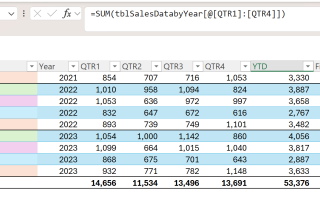
Running Total in an Excel Table Microsoft Excel Tables are an amazingly powerful tool, just as powerful as Excel VBA, UserForms, Pivot Tables, and Dynamic Arrays.   Creating a running total in an Excel Table is a common practice.  But sometimes people have issues with them.  As such, we cover how to use Running Total in [...]

July 12th, 2012|Tags: , , , , |7 Comments